

Getting back into your 7ABet account takes a few clicks from any desktop or mobile browser. One login opens the casino, live casino and sportsbook alike.
How to Log In on Desktop
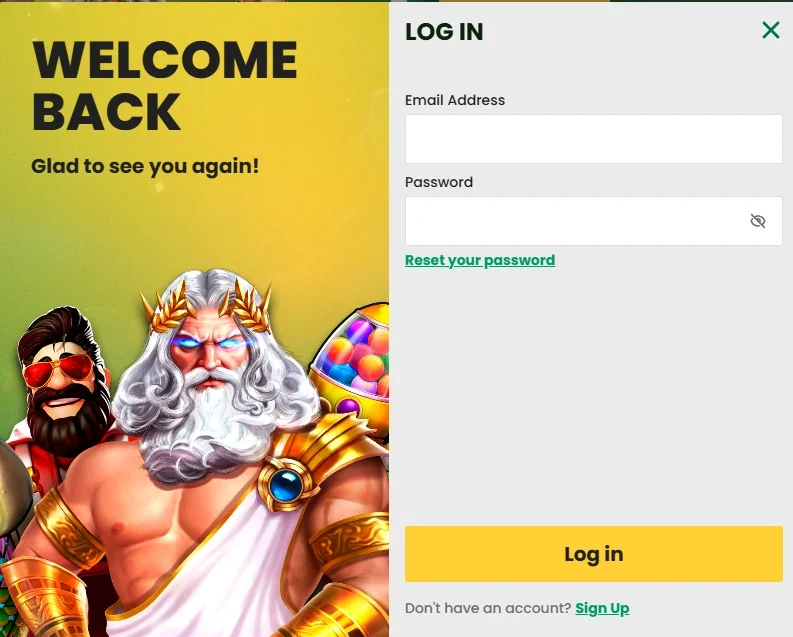
The Log in button sits at the end of the main menu, right after Live Chat. Your credentials are the email address and password chosen when the account was created.
- Open 7ABet in your browser.
- Click Log in in the top menu.
- Type your registered email address.
- Enter your password.
- Confirm to land back in the lobby with your balance and settings loaded.
Haven't got an account yet? Use the Sign Up form first, then come back here.
Logging In on Mobile
There's no separate mobile login. The platform is responsive and browser-first, so on a phone you open the site, tap Log in and enter the same details.
Using the Installed Web App
You can install 7ABet as a Progressive Web App from the browser itself, with no app store account, approval or waiting involved. The icon launches the site in one tap, and repeat visits load faster as core assets come from your device. On iPhone, the install goes like this:
- Open 7ABet in a normal browser window, not a private or incognito one.
- Tap the three-dot browser menu.
- Select Share.
- Tap View More, then pick Add to Home Screen.
- Confirm with Add and sign in from the new icon.
Signed in on mobile, you keep full access to deposits, withdrawals, document uploads, rewards, account settings and live chat.
Keeping Your Account Secure
A login guards both your balance and your personal data. Information travels over encrypted connections to secure hosting, backed by access restriction controls, security monitoring and internal confidentiality procedures.
- Keep your password private; accounts are for personal use only.
- Hold one account only, as duplicates can be closed with their transactions voided.
- Register payment methods in your own name.
- Avoid bots or automated play, which break the terms.
- Keep your email address current so account messages reach you.
Common Login Problems and Fixes
Not every failed login is a typo. Some come from an account status set by you or by the operator, and each one has its own fix.
| Problem | What's Happening | What to Do |
|---|---|---|
| Login rejected | Email or password entered incorrectly | Re-enter your registered email address and password carefully |
| Access blocked | Self-exclusion is active for the period you chose | Access returns once the period ends; a further cooling-off may apply before reactivation |
| Account paused | A time-out or cooling-off period is running | Wait for the break to finish |
| Account dormant | Long inactivity has changed the account status | Contact Live Chat about the account |
| Account suspended | An activity check may require affordability or verification information | Provide the information requested |
| Second account refused | Only one account per person is permitted | Log in with your original account |
| Web app icon missing | The install was attempted in a private window | Repeat the install in a normal browser window |
Locked Out or Lost Your Details?
Live Chat sits in the main menu right beside Log in, so support is a click away from the login screen. VIP members have a dedicated VIP chat with 24/7 instant support. The Help Centre in the footer covers minimum deposits, withdrawal methods and withdrawal fees.
After You Sign In
Your account settings hold the safer-gaming tools: deposit and net deposit limits, wager and loss limits, session reminders, cooling-off periods, time-outs and self-exclusion. Lowering a limit takes effect straight away; raising or removing one triggers a cooling-off period first.
Communication preferences are worth a look too, as switching on email marketing is the first step towards a VIP Club invitation. Cashback and free-spin rewards are collected from the Rewards tab.
Login FAQ
Is there a separate login for the 7ABet sportsbook?
No. One account covers the casino, live casino and sports sections, including Live Betting.
Can I log in through an app?
Yes, through the browser-installed web app. It isn't downloaded from an app store, but you sign in with the same email address and password as on the website.
Why can't I access my account during self-exclusion?
Self-exclusion locks the account for the period you chose, blocking deposits and play. It normally can't be lifted early, and an extra cooling-off period may apply before reactivation.
What language is the site in?
The interface label reads English (UN). Where terms appear in several languages, the English version prevails.
Who do I contact if I'm locked out?
Use Live Chat from the main menu. VIP members can use their dedicated VIP chat instead.